
Jiliwin App & Mobile APK Hub
Return to the main pillar overview for jiliwin app.
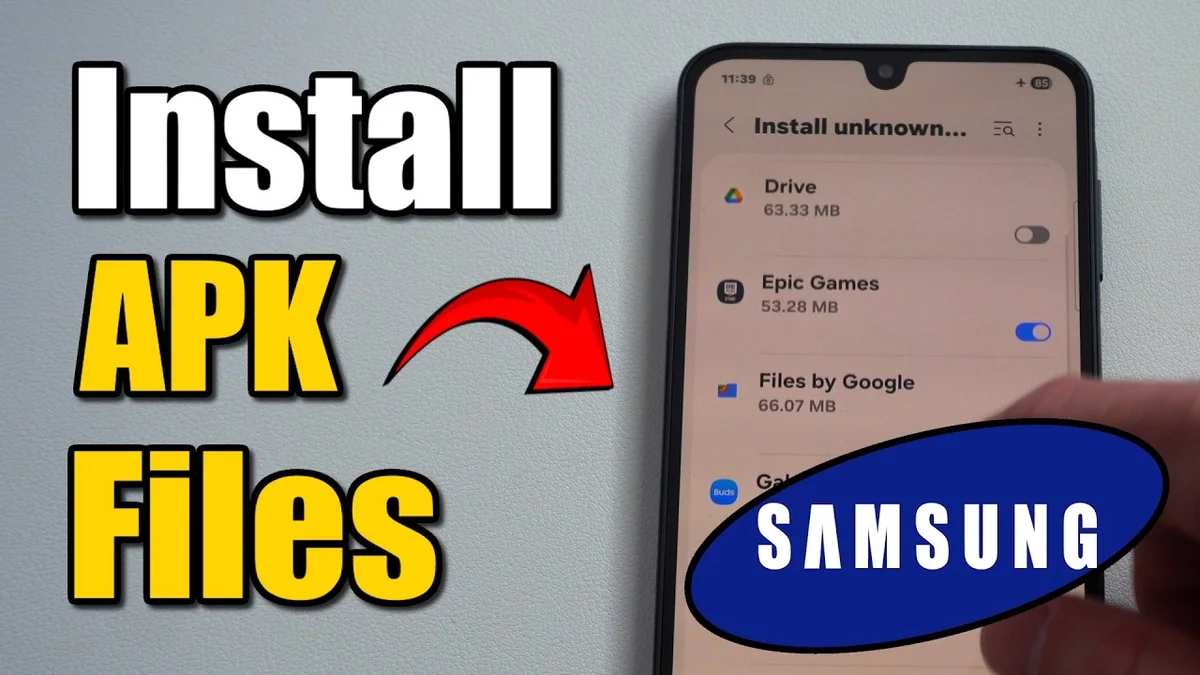
Seeing a sudden 'Update Required' popup right when you open your casino app on payday can make any beginner hesitate. Worries about losing an active ₱800 wallet balance, hitting an 'App not installed' error on Android, or accidentally downloading a fake update link from social media are completely understandable.
Updating your mobile client cleanly takes less than three minutes once you know how server-side wallets work. This guide walks through verifying genuine jiliwin download patches, handling Android 7.0 vs 8.0+ permissions during updates, fixing package conflicts, and checking 4G LTE stability.
Follow this safe sequence whenever a legitimate version upgrade rolls out so you never lose access or leave security doors open.
| Update Scenario | Symptom on Screen | Root Technical Cause | Safe Resolution Step | Data / Balance Impact |
|---|---|---|---|---|
| Signature / Package Conflict | 'App not installed as package conflicts' | Old build signed with different key or clone | Verify login works on web, uninstall old APK, install fresh | Zero loss (PHP balance is cloud-stored) |
| Corrupted 4G LTE Download | 'There was a problem parsing the package' | Cellular drop left incomplete <50 MB file | Delete partial file in Downloads; re-fetch on steady LTE/Wi-Fi | Zero balance impact |
| Android 8.0+ Permission Block | Update hangs at Settings prompt | Chrome sideloading rightly toggled Off | Enable Chrome 'Allow from this source' briefly, then revoke | Zero balance impact |
| Low Phone Storage Error | Install bar fails near 90% | Under 500 MB free space on 64 GB device | Clear WhatsApp/TikTok media & old APKs; keep 1.5 GB free | Clears stale temp cache cleanly |
Many beginners tolerate laggy, outdated builds for months simply because they fear deleting the old icon will wipe out ₱500 or ₱1,000 sitting in their wallet. In reality, your mobile app works like your GCash or Maya app: deleting the app from a phone never touches the money recorded under your verified account.
Before uninstalling any legacy build, take ten seconds to double-check your login credentials inside Chrome or review our Jiliwin app login guide. Once you confirm you know your exact username and password, removing an old APK is completely risk-free.
iPhone users on Safari WebClips never have to uninstall anything at all—web client patches deploy automatically the moment you refresh your Home Screen shortcut.
Picture a 21+ player in Laguna opening their app on the 30th-of-the-month payday with ₱800 already sitting in their wallet, planning a quiet evening session. Instead of loading the lobby, the screen displays a notice requesting a move from v2.x to v3.x.
When they download the 84 MB update package over home Wi-Fi and tap Install, Android 13 throws an 'App not installed as package conflicts with an existing package' error. Rather than forcing random mirror files, the player logs into the verified browser portal first to see their ₱800 balance intact.
They cleanly uninstall the older Android build from Settings, install the verified 84 MB APK, revoke Chrome's install switch right after setup, and deposit an optional ₱200 via Maya for a calm ₱1,000 session cap. Knowing funds live server-side removes all panic.
Just like fake banking SMS alerts, fraudulent 'urgent casino update' links pressure players into downloading malware quickly before thinking. A genuine platform verified on pagcor.ph never distributes secret update patches through random file-sharing links or direct WhatsApp `.zip` attachments.
Always verify the file size sits between 50 MB and 150 MB and check every permission prompt against our legit PH casino app verification guide. If an update file measures 6 MB or asks to read your SMS inbox, delete it immediately.
Because good Android hygiene requires revoking install permissions right after your very first setup, Android 8.0+ will rightfully block Chrome or Files when you tap an updated `.apk` months later. That block means your earlier security lockdown worked.
Simply tap Settings on the prompt, toggle 'Allow from this source' ON for Chrome for thirty seconds while the update installs, and flip it straight back to OFF once installation finishes. On older Android 7.0 Nougat phones, toggle Unknown Sources briefly inside Security Settings and uncheck it immediately afterward—review full OS details in our Jiliwin APK download tutorial.
Keeping three old 90 MB installer binaries sitting inside your Android Downloads folder wastes nearly 300 MB of flash space and invites accidental taps on outdated versions. Make deleting the `.apk` file part of your final update step every single time.
If your update stopped at 72 MB on a moving bus when Globe or Smart 4G dropped to zero bars, Chrome sometimes leaves a broken `.apk` icon in Downloads. Tapping that incomplete file always triggers a parsing error.
Clear the broken file from Chrome's Downloads tab and wait until you reach steady LTE or Wi-Fi before restarting the download. After updating, check your available storage: keeping at least 1.5 GB free prevents Android's package installer from aborting silently at the 90% mark.
A clean reinstall wipes your old temporary slot sprite cache, which means your very first launch of Super Ace or Fortune Gems after updating will re-fetch 15–30 MB of graphics. Open your top three favorite games once while still on home Wi-Fi so your next prepaid 4G LTE commute stays light on data.
You can also check hardware frame-rate tuning in our JILI slot Android optimization guide and double-check operator compliance via our PAGCOR safety and trust hub.
Because modern mobile casino wrappers load most game rooms dynamically from HTML5 servers, core APK updates happen relatively infrequently—usually only for security patches, Android 14–15 compatibility, or cashier SDK upgrades. Never chase daily 'new version' spam links online.
If your older phone starts running low on storage and struggles with annual OS updates, switching over to Chrome PWA or Safari browser play outlined in our zero-install mobile browser guide keeps everything current automatically.
Accessing updated mobile casino clients in the Philippines is strictly limited to adults aged 21 years old and above, protected by PhilSys, UMID, LTO, or PRC ID checks. Whenever you update your app on payday, reset your weekly PHP deposit and session time caps upfront as a smart pre-session strategy.
Always verify platform credentials directly on pagcor.ph; formal self-exclusion takes effect within 24 hours across every access method, including newly updated Android APKs and mobile browsers. Free confidential assistance is offered by the National Council on Problem Gambling Philippines, Gamblers Anonymous Philippines, and the PAGCOR Responsible Gaming Helpline.
Handling a jiliwin download or app update safely protects both your Android handset and your PHP wallet: back up your login credentials first, download updates solely from verified HTTPS portals, check the 50–150 MB file size, temporarily toggle and immediately revoke Chrome's sideload permission, and uninstall conflicting legacy builds cleanly knowing your balance sits safely on remote servers. Pre-caching favorite slots on Wi-Fi post-update keeps your prepaid 4G LTE data promo intact too.
Confirm operator authorization at pagcor.ph before funding your next session. Invite your friends to register and play and get a chance to earn bonuses of up to ₱50,000.00, and Get a chance to win up to ₱100,000.00 plus unlock exclusive Mystery Chests.
No, your PHP balance, bonus progress, and KYC records stay safely stored on encrypted remote servers linked to your registered account. Uninstalling an outdated Android APK never deletes funds—simply sign back in with your original username and password after installing the update.
This Android error appears when an older or mismatched build already occupies the same package name on your phone. Verify your login credentials work on Chrome first, uninstall the old app cleanly from Android Settings, reboot once, and install the fresh verified 50–150 MB APK.
Parsing errors usually mean your 4G LTE signal dropped mid-download, leaving an incomplete `.apk` file in your Downloads folder, or your phone's Android version is older than Android 7.0. Delete the partial file completely and re-download over stable LTE or Wi-Fi.
No, iPhone and iPad users playing through an encrypted Apple Safari Home Screen WebClip receive updates automatically whenever the platform updates its server. Never install third-party `.ipa` files or configuration profiles promising manual iOS updates.
Genuine casino updates never arrive as random Telegram `.zip` files, Messenger links, or sub-10 MB installers. Only trust update prompts inside the verified app itself or the official HTTPS portal checked against pagcor.ph.